Waterlogged App Store

Press

Press Kit

App summary, media contact information, screenshots, and icon assets for Waterlogged.

Updated 2026-05-06

Boilerplate

Waterlogged is a mobile app for iPhone and iPad that helps people drink more water with reminders, quick logging, visible daily progress, and positive reinforcement. Users can set daily goals, log favorite bottles and cups, track water and other drinks in oz, mL, L, and common sizes, and review simple progress charts.

Premium features add smarter reminders, interval reminders, and integrations for Apple Health and Fitbit.

App Store

Waterlogged uses Apple app ID 352199775. Link to Waterlogged on the App Store so Apple can route visitors to the appropriate regional storefront.

Press Contact

Press requests can be sent to press@waterlogged.com.

Press kit

Downloadable press kit archives include localized screenshot assets where available.
Screenshots

Open any image in a new tab to view the original asset.
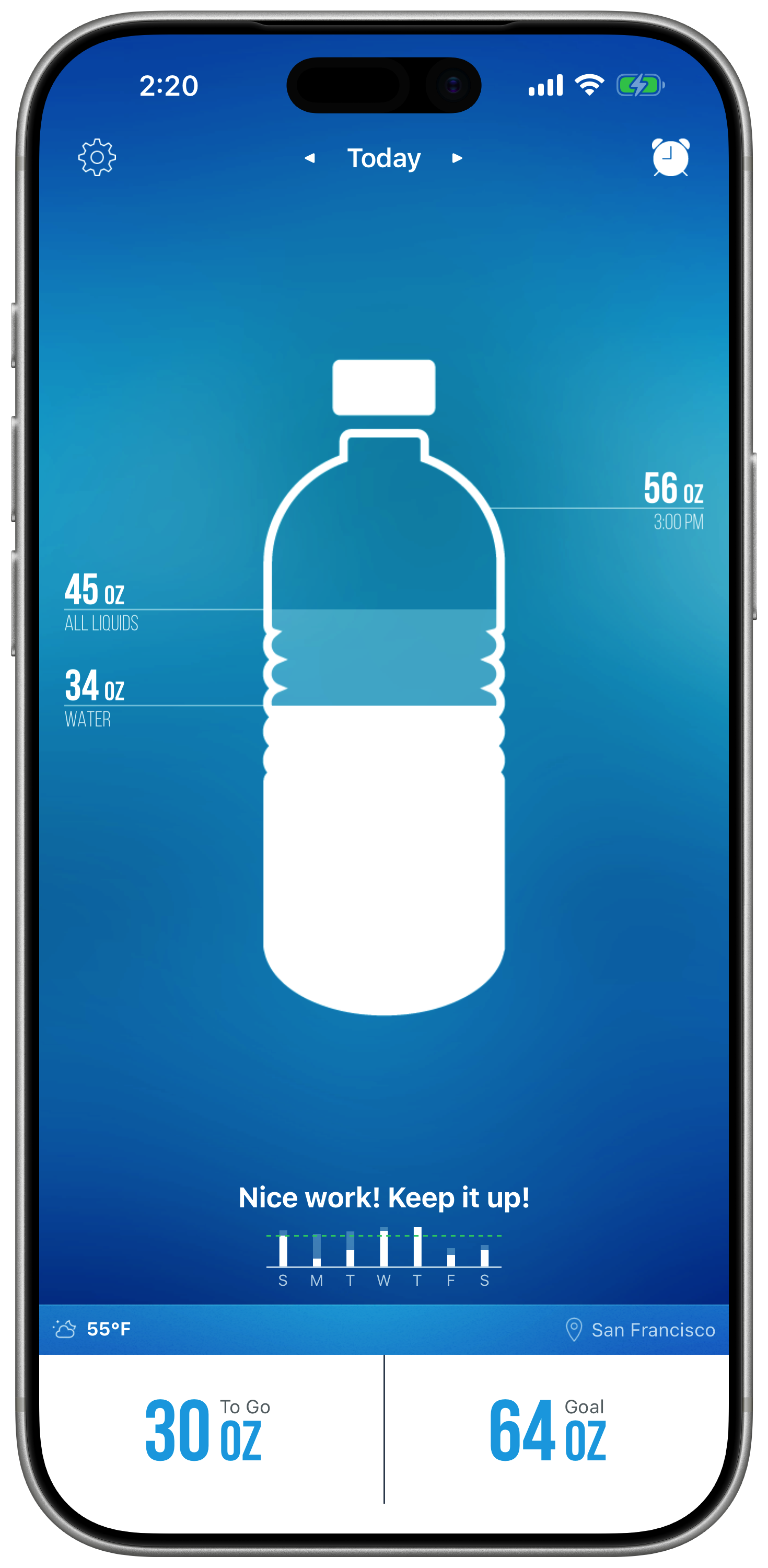
Waterlogged iPhone screen showing daily water progress, total liquids, goal, and streak

Drink more water

See water, total liquids, goal progress, streaks, weather, and location at a glance throughout the day.

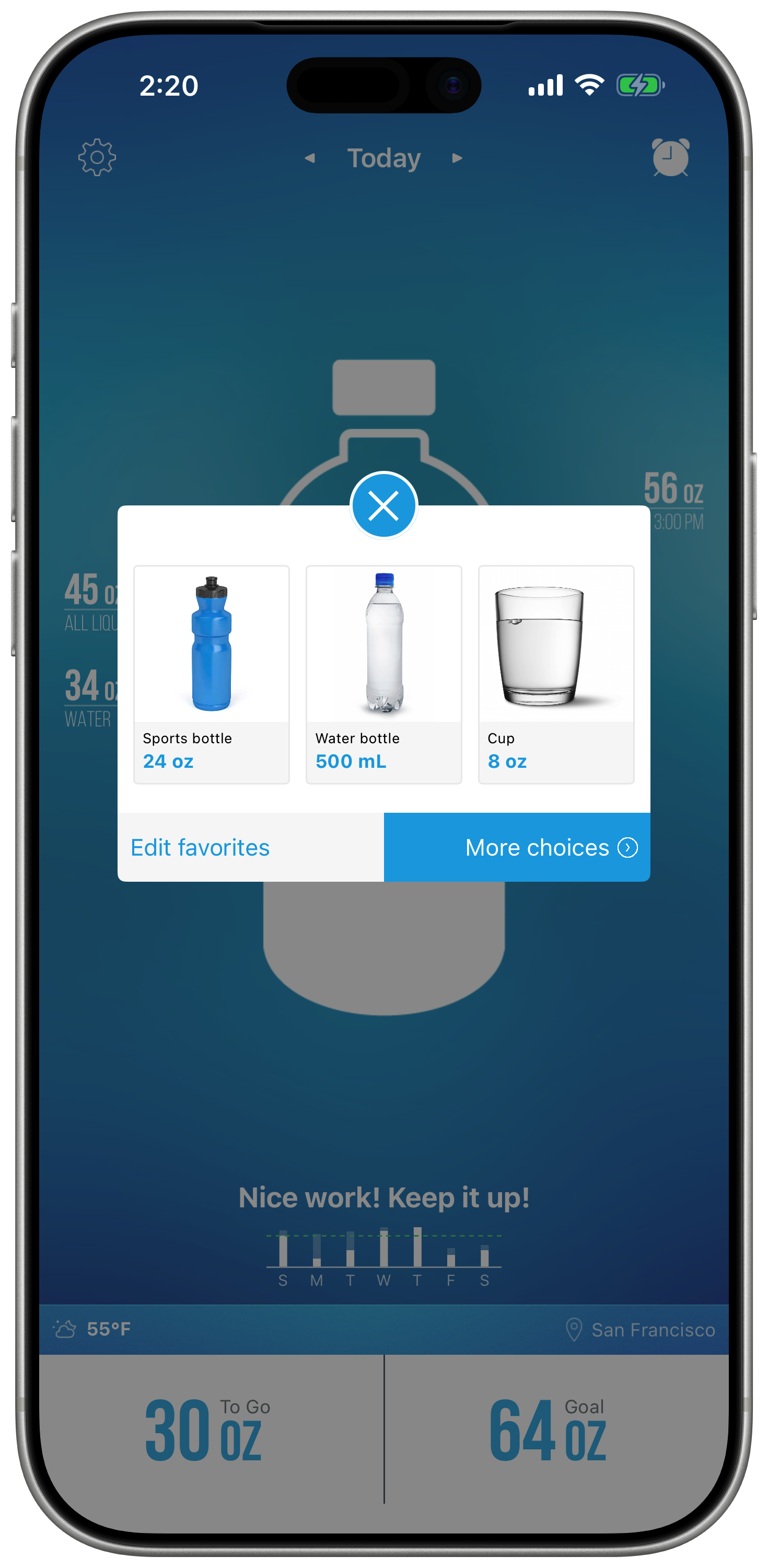
Waterlogged iPhone screen showing favorite bottles, a water bottle, and a cup for fast logging

Log in seconds

Open favorite bottles, cups, and containers so common drinks can be logged with a tap.

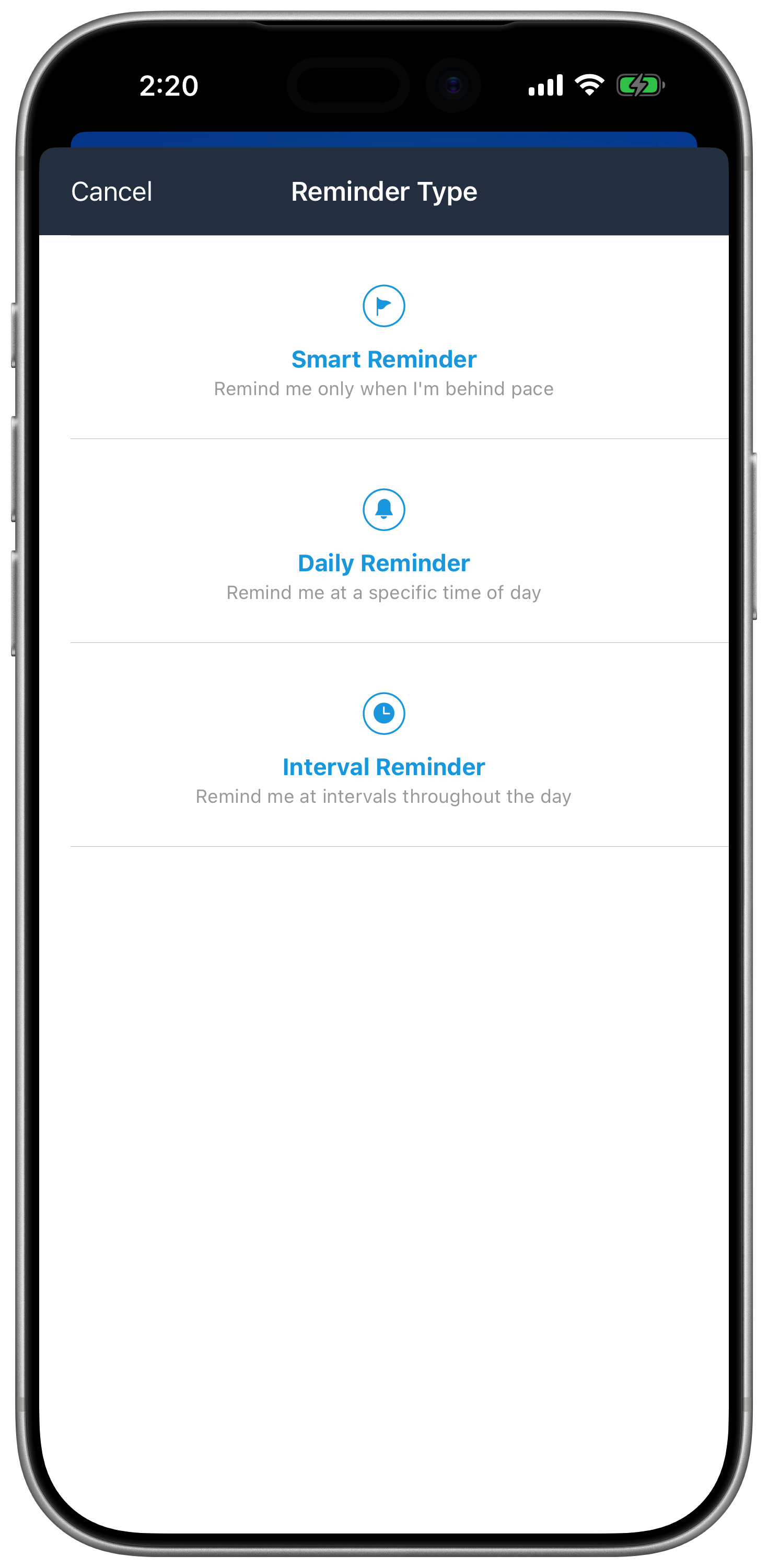
Waterlogged iPhone screen showing smart, daily, and interval reminder choices

Smart reminders

Choose smart, daily, or interval reminders so Waterlogged can nudge you only when it helps.

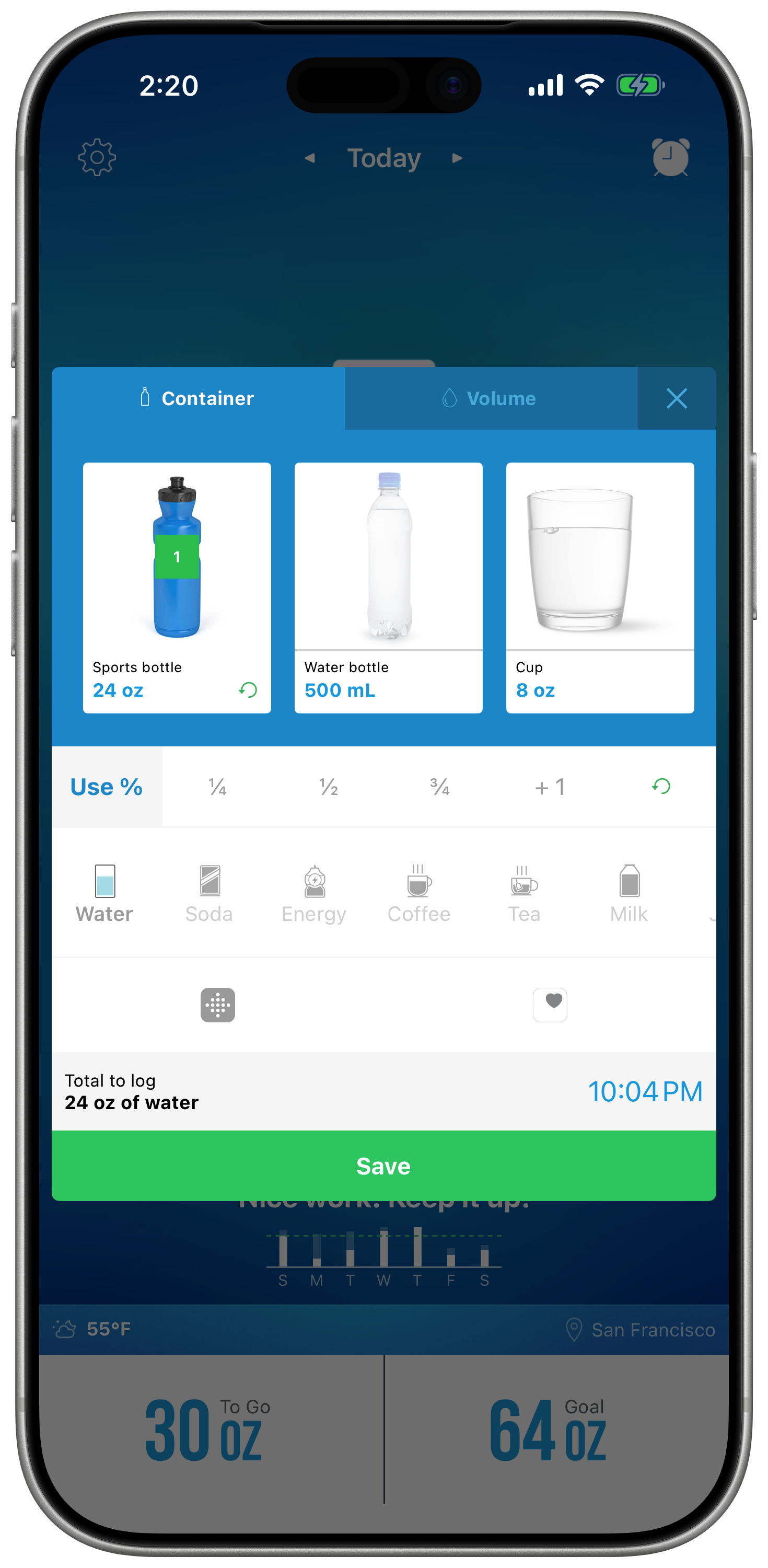
Waterlogged iPhone screen showing drink logging by container, volume, serving amount, and drink type

Log any drink

Record water and other drinks by container, volume, partial servings, and drink type.

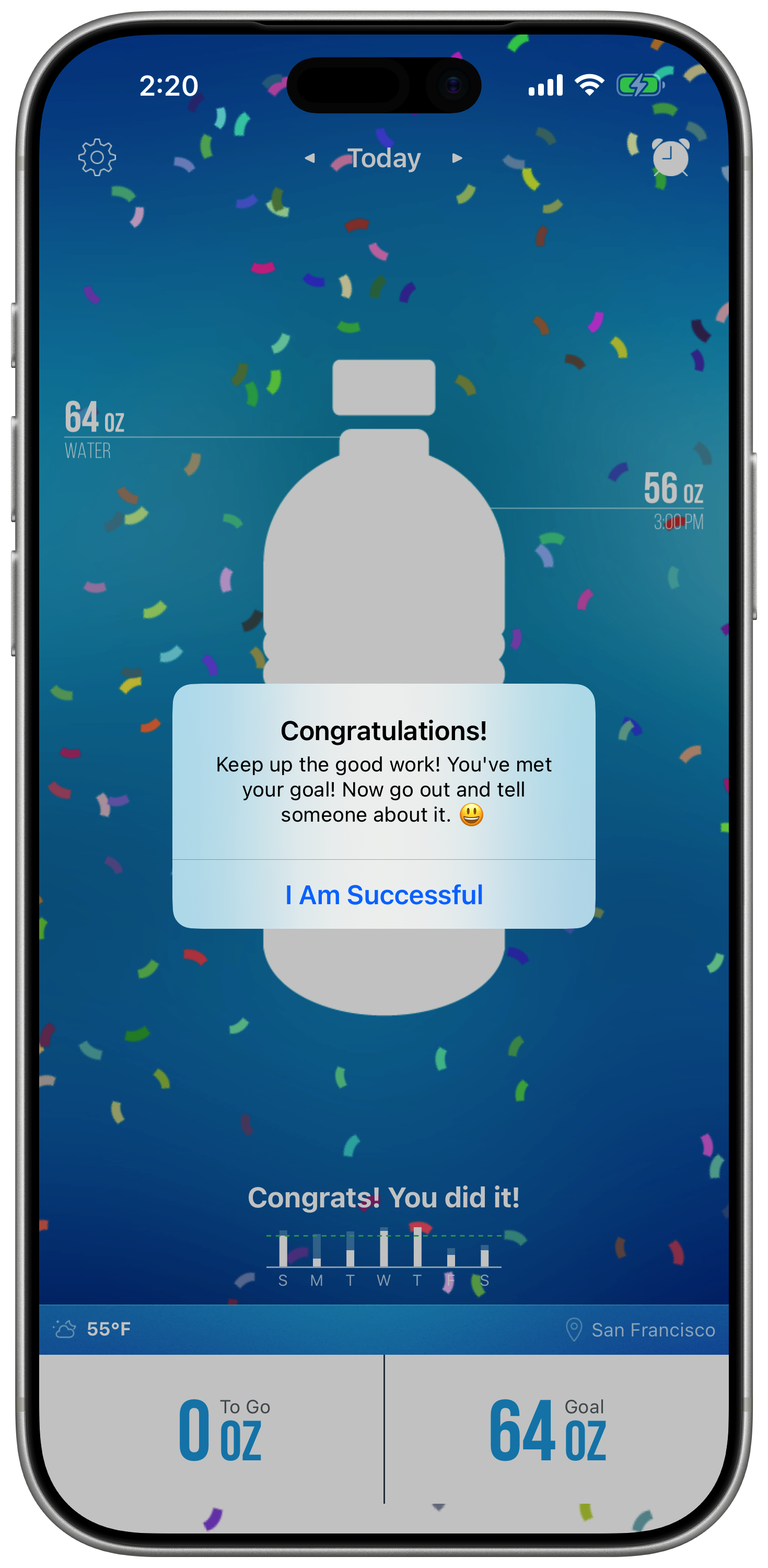
Waterlogged iPhone screen showing goal completion confetti and a congratulations message

Stay on track

Celebrate every win with progress feedback when you hit your daily water goal.

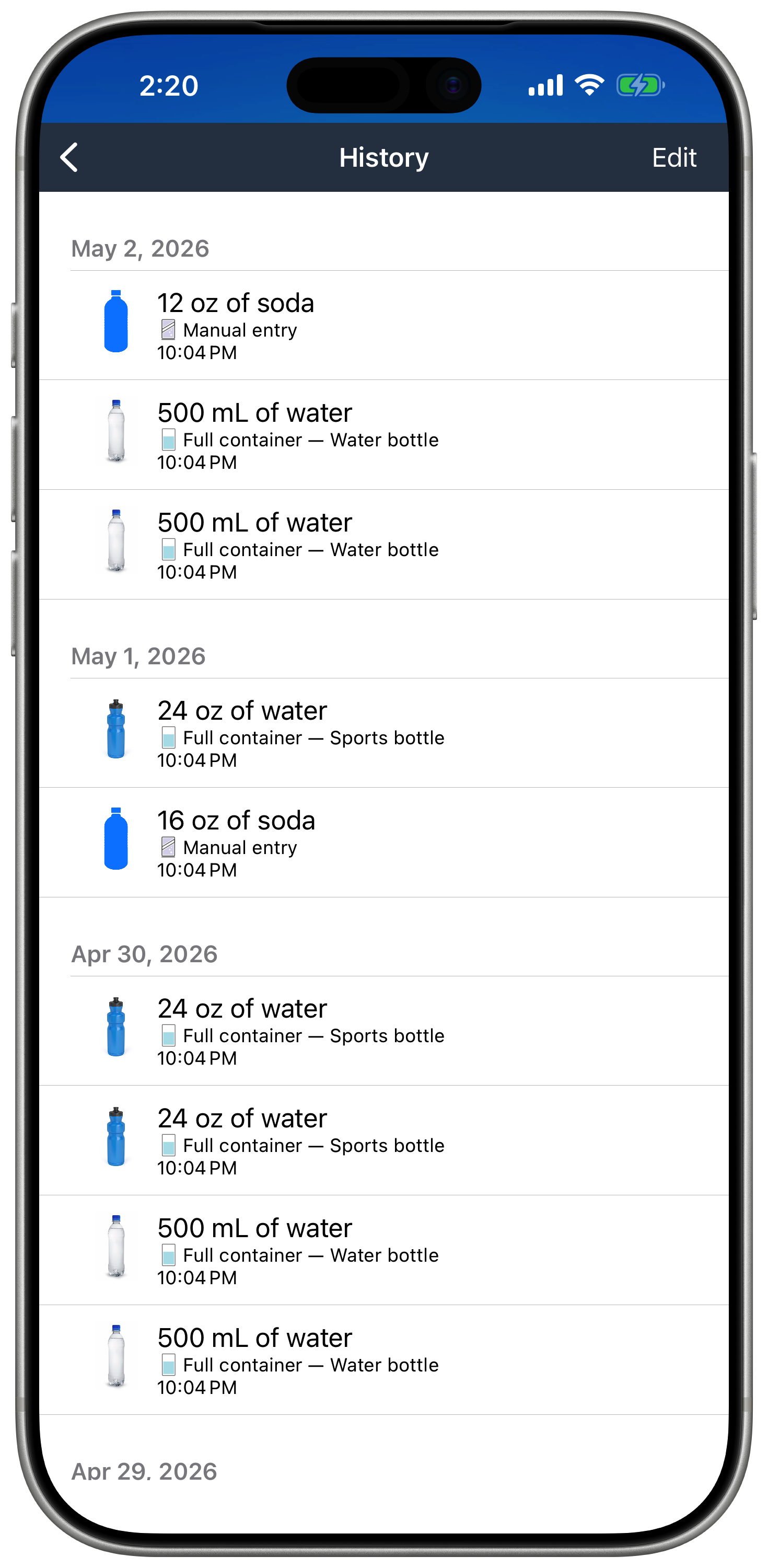
Waterlogged iPhone screen showing a dated hydration history list with drinks and amounts

See your history

Review past entries by day, drink, amount, container, and time.